 By Colin Foster
Updated November 2026
The best closet organization app is the one you will actually open every morning. A good app lets you photograph your clothes, sort them by category and season, and build outfits without digging through hangers. This guide covers what to look for, how to set up your first inventory, and how to keep the app useful over time.
What a Closet Organization App Should Do
Most closet apps fall into one of three groups: wardrobe inventory apps that catalog everything you own, outfit planners that let you mix pieces together, and general home inventory tools that you adapt for clothing. Before downloading anything, decide which job matters most to you. If you already know what you own but never wear half of it, outfit planning is the priority. If you cannot remember what is in the back of the closet, inventory comes first.
Shopping for one? See our guide: 5 Best Yamazaki Home Magnetic Kitchen Organization Racks Compared (2026).
Look for these features when comparing options:
- Quick photo capture with background removal or cropping
- Custom categories and tags, such as season, color, fabric or occasion
- Outfit building that lets you save combinations
- Wear tracking, so you can see what you never reach for
- Export or backup, so your data is not locked into one device
Check the app store listing for current features and compatibility, since these tools change often.
How to Set Up Your First Closet Inventory
Setting up an inventory is the slow part, but you only need to do it once. Work one category at a time rather than trying to photograph everything in one evening.
- Empty one section of the closet, such as tops hanging on the left rod, and lay items on the bed.
- Photograph each piece against a plain background, one item per photo.
- Tag each item with category, color and season. Keep tags consistent, for example always “knit” rather than mixing “sweater” and “jumper.”
- Return items to the closet in the same zone so the physical layout matches the app.
- Repeat for shoes, outerwear, bags and accessories.
Plan on a few sessions rather than one long one. If you have a small wardrobe, the job takes an afternoon. A larger closet may take a couple of weekends.
Building a Routine That Keeps the App Useful
An app goes stale quickly if you only update it during setup. Build a light routine around it. Add new purchases the day you bring them home, log items you donate or sell right away, and review outfits once a month to see which pieces never appear. Those unused items are your best candidates for the next declutter.
If your closet is very small, pair the app with physical space planning. Articles like Small Closet Organization Tips: 8 Steps for a Tidier Space explain how to match what the app tells you with real shelf and rod space, and App for Closet Organization: 6 Steps to Plan, Track and Maintain Your Closet walks through a fuller planning workflow.
Comparing Your Options Before You Commit
Use this table to narrow your choice based on what you need most:
| Your main need | Look for |
|---|---|
| Knowing what you own | Fast photo capture and strong category tags |
| Deciding what to wear | Outfit builder with saved combinations |
| Cutting back on clutter | Wear tracking and last-worn dates |
| Shopping more wisely | Gap analysis or a wardrobe summary by category |
| Keeping data safe | Export options and cloud backup |
Many apps offer a free version with limits on item count. Test the workflow with your own clothes before paying for an upgrade.
Common Mistakes
- Photographing everything at once and burning out before the inventory is finished.
- Using inconsistent tags, which makes filtering useless later.
- Skipping the physical layout, so the app and the closet drift apart.
- Ignoring the wear data and keeping items you already know you do not use.
- Choosing an app with no export option and losing your entire inventory if you switch phones.
Recommended Gear
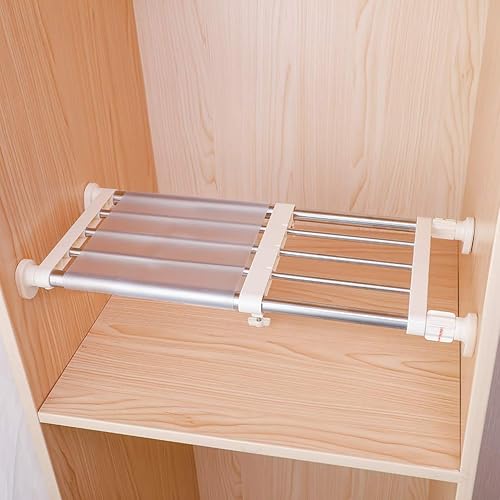
A few physical tools make the app easier to maintain. Clear, uniform hangers help photos look consistent and keep rods tidy. Use a basic clothes-hanger set for the most-worn items. Shelf dividers keep folded stacks upright so you can see every tag, and a small clear bin for accessories keeps belts and scarves from getting lost. View on Amazon View on Amazon View on Amazon
FAQ
Is a closet organization app worth it if I have a small wardrobe?
It can be, mainly for outfit planning and avoiding duplicate purchases. With fewer than about 30 items, a notes file or a simple photo album may be enough.
How long does it take to set up an inventory?
Most people finish a basic inventory over a few short sessions. Plan to spend the most time on your first category, then speed up as you develop a tagging habit.
What happens to my data if I switch phones?
It depends on the app. Look for cloud sync or an export feature before you start, and back up your photos and tags periodically.
Conclusion
The best closet organization app is the one that fits how you dress and how much time you want to spend maintaining it. Start with inventory, build a simple tagging system, and review your wear data monthly. Once the app matches your physical closet, getting dressed becomes faster and your shopping gets more deliberate.
Related reading
- Top Shelf Closet Organization: 7 Steps to Use Every Inch
- Cool Closet Organization Ideas: 7 Layouts That Look Good and Work
- 12 Best Shelf for Closet Organization
- 10 Best Walk in Closet Organization
Ready to choose one?
About Colin Foster
Colin Foster is part of our editorial team and reviews and edits our home organization guides, checking product details against manufacturer specifications and owner feedback.